
Introducing gh-weekly-updates - Automate Your Weekly GitHub Impact Summaries
If you’re anything like me, you’ve probably spent a Friday afternoon trying to remember everything you did that week. Maybe it’s for a standup, a 1:1 with your manager, or just to keep track of your own progress. You end up clicking through PRs, issues, and Slack threads, trying to piece together a coherent story. It’s tedious, and honestly, it’s time you could spend doing actual work.
That’s why I built gh-weekly-updates - a CLI tool that automatically collects your GitHub activity and generates a structured weekly summary using AI.
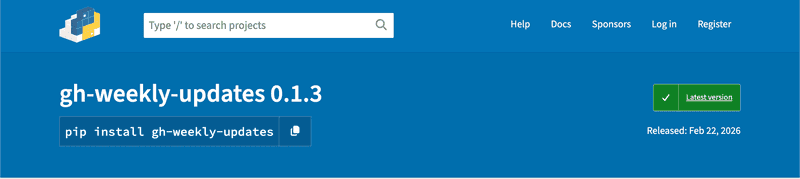
💡 GitHub repo: github.com/sahansera/gh-weekly-updates. It’s open source and available on PyPI!
The Problem
As engineers, we’re constantly shipping code, reviewing PRs, filing issues, and jumping into discussions. But when it comes time to reflect on the week, all that context is scattered across repos. I wanted something that could:
- Pull all my GitHub activity into one place
- Summarise it in a way that highlights what actually matters
- Run on a schedule so I don’t have to think about it
I couldn’t find anything that did exactly this, so I built it.
What It Does
gh-weekly-updates connects to the GitHub API, collects your activity for a given period, and sends it to an AI model (via GitHub Models) to produce a structured Markdown summary.
Here’s what it picks up:
- Pull requests you authored (with merge status, additions/deletions, changed files)
- Pull requests you reviewed
- Issues you created
- Issue comments you left
- Discussions you started or participated in
The output is grouped by project or theme and structured into sections like Wins, Challenges, and What’s Next. You can also customise the prompt to match whatever format your team uses.
Getting Started
It’s a Python CLI tool, so you can install it with pip:
pip install gh-weekly-updatesThen just run it:
# If you're already logged in with the GitHub CLI
gh auth login
gh-weekly-updates
That’s it. It will auto-discover repos you contributed to in the past week and generate a summary.
You can also point it at specific repos and date ranges:
gh-weekly-updates --since 2026-02-09 --until 2026-02-16 --repos my-org/my-repoConfiguration
For more control, you can create a config.yaml:
org: my-org

repos:
  - my-org/api-service
  - my-org/web-app

model: openai/gpt-4.1

# Automatically push the summary to a repo
push_repo: my-user/my-weekly-updates

# Customise the AI prompt
prompt_file: my-prompt.txt
The config supports everything from repo lists to custom prompts. You can even swap out the AI model if you have a preference.
Running on a Schedule with GitHub Actions
This is where it gets really useful. You can set up a GitHub Actions workflow to run it every Monday morning and push the summary to a repo automatically:
name: Weekly Summary

on:
  schedule:
    - cron: '0 9 * * 1'  # Every Monday at 9am UTC
  workflow_dispatch:

jobs:
  summarise:
    runs-on: ubuntu-latest
    steps:
      - uses: actions/checkout@v4

      - uses: actions/setup-python@v5
        with:
          python-version: '3.12'

      - run: pip install gh-weekly-updates

      - name: Generate summary
        env:
          GITHUB_TOKEN: ${{ secrets.GH_PAT }}  # must be named GITHUB_TOKEN
        run: gh-weekly-updates --config config.yaml
Now every Monday, you get a fresh summary committed to your repo. No manual effort required.
Custom Prompts
The default prompt produces a summary with Wins, Challenges, and What’s Next sections. But you can tailor it to your needs. For example, if your team does impact-style updates, you might want sections like Strategic Influence or Next Steps.
Just create a text file with your prompt and reference it in your config:
prompt_file: my-custom-prompt.txtThe prompt receives all your raw activity data as context, so you can shape the output however you like.
Why Open Source?
I initially built this for myself to automate my own weekly updates at work. But I figured other engineers probably have the same problem, so I cleaned it up and open-sourced it. The tool is intentionally simple - it does one thing and tries to do it well.
If you find it useful, give it a ⭐ on GitHub. And if you have ideas for improvements, PRs and issues are always welcome!
What’s Next
A few things I’m thinking about for future releases:
- More activity sources: Picking up commit messages, release notes, and code review comments
- Multiple output formats: Slack messages, email digests, Notion pages
- Team summaries: Aggregate activity across a whole team, not just one person
If any of these sound interesting to you, feel free to open an issue or start a discussion on the repo.
Links
- GitHub: github.com/sahansera/gh-weekly-updates
- PyPI: pypi.org/project/gh-weekly-updates
- GitHub Models: github.com/marketplace/models
Thanks for reading! If you have any questions, feel free to reach out on Twitter or drop a comment below. 🤗