Building a gRPC Client in .NET
Introduction
In this article, we will build a .NET gRPC client from a shared Protocol Buffers contract, reuse a channel, set an RPC deadline, and call the ASP.NET Core gRPC server from a console application.
The generated client keeps the call site small, but a production client still needs deliberate transport security, deadlines, status handling, retries, and observability.
Plan
The plan for this article is as follows.
- Scaffold a .NET console project.
- Implementing the gRPC client.
- Communicating with the server.
In a nutshell, we will be generating the client for the server we built in our previous post.
💡 As always, all the code samples documentation can be found at: https://github.com/sahansera/dotnet-grpc
Prerequisites
- .NET 10 SDK
- Visual Studio Code or IDE of your choice
The Grpc.Tools package runs code generation through MSBuild, so this walkthrough does not require a separate protoc installation.
Project Structure
We can use .NET’s tooling to generate a sample gRPC project. Run the following command at the root of your workspace. Remember how we used dotnet new grpc command to scaffold the server project? For this one though, it can simply be a console app.
dotnet new console -o BookshopClientYour project structure should look like this.
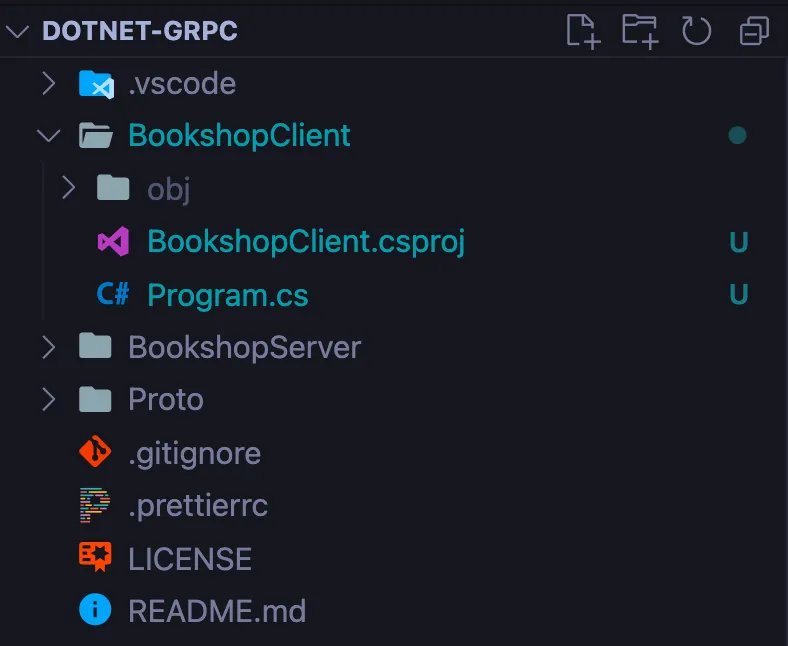
You must be wondering if this is a console app how does it know how to generate the client stubs? Well, it doesn’t. You have to add the following packages to the project first.
dotnet add BookshopClient/BookshopClient.csproj package Grpc.Net.Client
dotnet add BookshopClient/BookshopClient.csproj package Google.Protobuf
dotnet add BookshopClient/BookshopClient.csproj package Grpc.Tools
Once everything’s installed, we can proceed with the rest of the steps.
Generating the client stubs
We will be using the same Protobuf files that we generated in our previous step. If you haven’t seen that already head over to my previous post.
Open up the BookshopClient.csproj file you need to add the following lines:
...
<ItemGroup>
  <Protobuf Include="../proto/bookshop.proto" GrpcServices="Client" />
</ItemGroup>
...
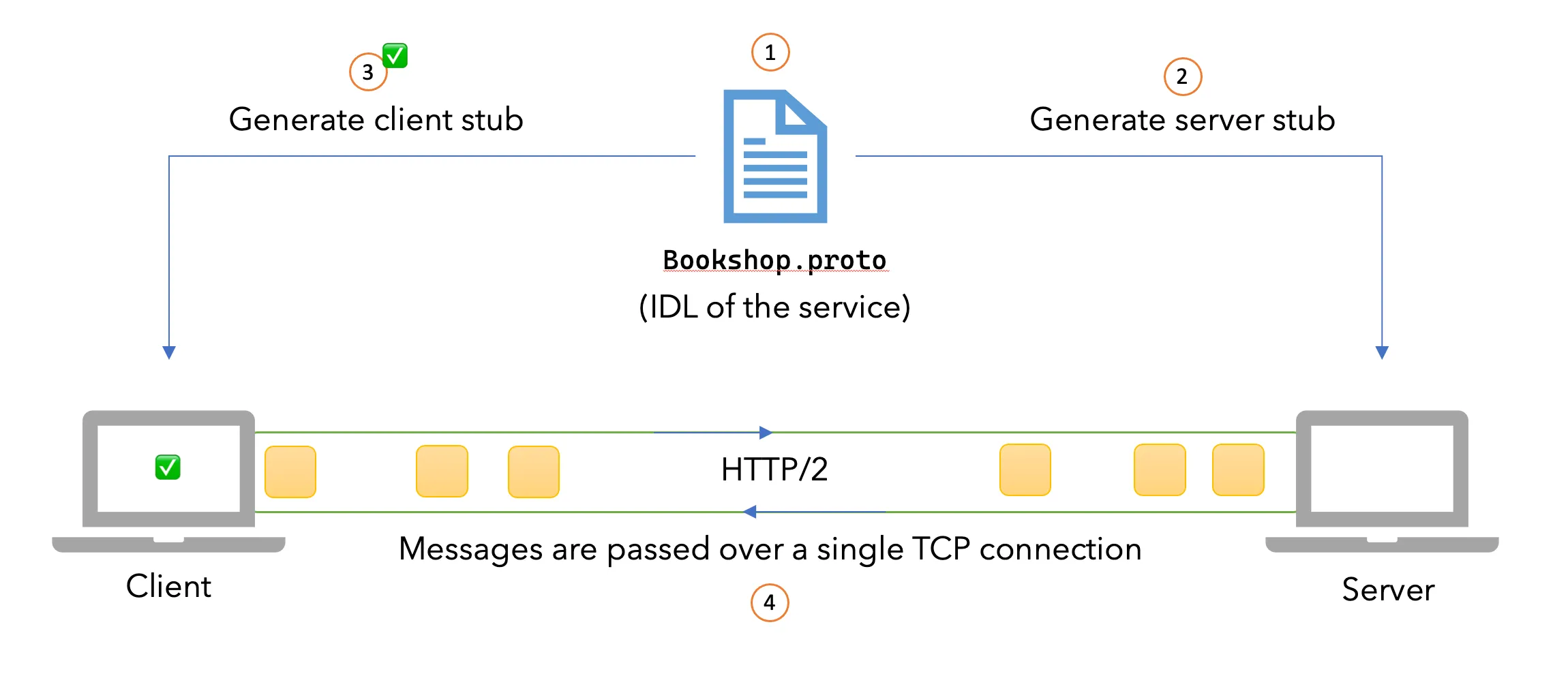
As you can see we will be reusing our Bookshop.proto file. in this example too. One thing to note here is that we have updated the GrpcServices attribute to be Client.
Implementing the gRPC client
Let’s update Program.cs to create the channel and call the server with a five-second deadline.
using Grpc.Core;
using Grpc.Net.Client;
using Bookshop;

// The port number must match the port of the gRPC server.
using var channel = GrpcChannel.ForAddress("http://localhost:5000");
var client = new Inventory.InventoryClient(channel);

try
{
  var reply = await client.GetBookListAsync(
      new GetBookListRequest(),
      deadline: DateTime.UtcNow.AddSeconds(5));

  Console.WriteLine("Books: " + reply.Books);
}
catch (RpcException ex) when (ex.StatusCode == StatusCode.DeadlineExceeded)
{
  Console.Error.WriteLine("The book list request exceeded its five-second deadline.");
  Environment.ExitCode = 1;
}
This is based on the example given on the Microsoft docs site btw. What I really like about the above code is how easy it is to read. So here’s what happens.
GrpcChannel.ForAddresscreates a channel for the server URI. Channels are designed to be long-lived and shared; creating one per call repeats connection and HTTP/2 setup work.Inventory.InventoryClientis generated frombookshop.proto. Multiple lightweight generated clients can reuse the same channel.GetBookListAsyncmakes the unary call with a five-second deadline. Without a deadline, a call can continue waiting while a dependency is unavailable.- A deadline failure arrives as an
RpcExceptionwithStatusCode.DeadlineExceeded, which lets the caller handle it separately from other gRPC statuses.
Now that we know how the requests work, let’s see this in action.
Communicating with the server
Let’s spin up the server that we built in my previous post first. This will be up and running at port 5000.
dotnet run --project BookshopServer/BookshopServer.csproj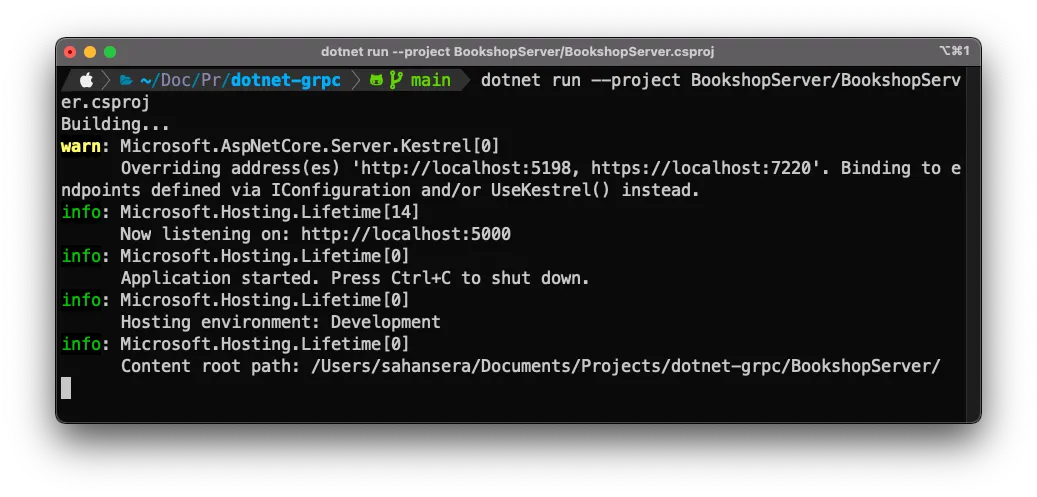
For the client-side, we invoke a similar command.
dotnet run --project BookshopClient/BookshopClient.csprojAnd in the terminal, we will get the following outputs.
Nice! As you can see, it’s not hard to get the generated client working 🎉 The companion repository uses plaintext HTTP/2 only for local development. Use TLS and authentication across an untrusted network, and only retry status codes that are safe for the semantics of the RPC.
Conclusion
In this article, we reused the server’s Protocol Buffers contract, created one long-lived channel, and bounded the unary call with a deadline. Those choices keep the client typed and efficient without allowing a failed dependency to hold the call indefinitely.
I hope this article series cleared up a lot of confusion that you had about gRPC. Please feel free to share your questions, thoughts, or feedback in the comments section below. Until next time 👋
The obvious next question is where to run it. gRPC needs HTTP/2 end to end, which not every managed platform gives you by default, and deploying a .NET gRPC server on Azure App Service goes through what that takes.