Building a gRPC Server in .NET
Introduction
In this article, we will build an ASP.NET Core gRPC server in .NET from a Protocol Buffers contract, implement the generated service base class, and inspect the running endpoint with grpcurl.
Motivation
We will reuse the Online Bookshop contract from the gRPC introduction. The same .proto file also drives the Go implementation, which is the useful part of contract-first RPC: each language generates its own API from one wire contract.
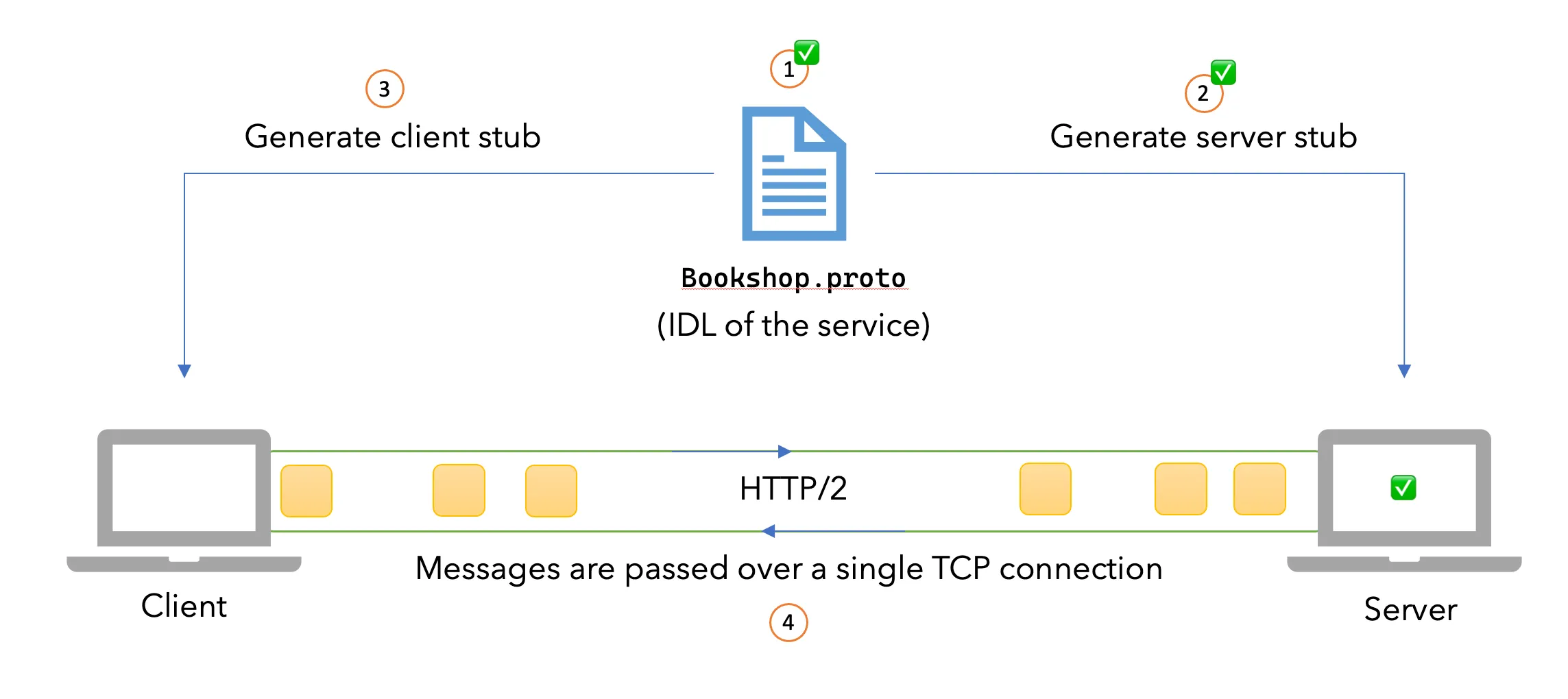
We will be covering steps 1 and 2 in the following diagram.
Plan
So this is what we are trying to achieve.
- Generate the
.protoIDL stubs. - Write the business logic for our service methods.
- Spin up a gRPC server on a given port.
In a nutshell, we will be covering the following items on our initial diagram.
💡 As always, all the code samples documentation can be found at: https://github.com/sahansera/dotnet-grpc
Prerequisites
- .NET 10 SDK
- Visual Studio Code or IDE of your choice
The ASP.NET Core gRPC template includes Grpc.Tools, so MSBuild generates the C# bindings during restore and build. You do not need to install protoc separately for this walkthrough.
Project Structure
We can use the .NET tooling to generate a sample gRPC project. Run the following command at the root of your workspace.
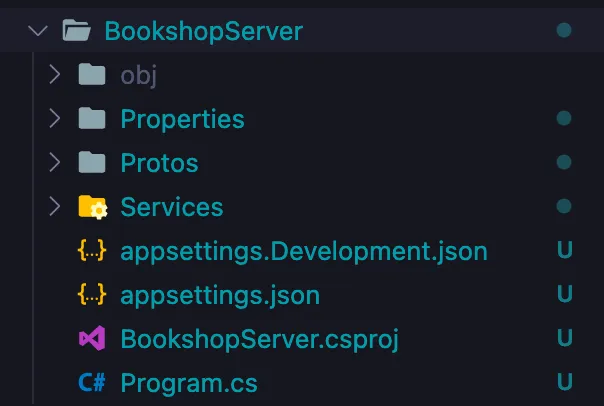
dotnet new grpc -o BookshopServerOnce you run the above command, you will see the following structure.
We also need to configure the SSL trust:
dotnet dev-certs https --trustAs you might have guessed, this is like a default template and it already has a lot of things wired up for us like the Protos folder.
Generating the server stubs
Usually, we would have to invoke the protocol buffer compiler to generate the code for the target language (as we saw in my previous article). However, for .NET they have streamlined the code generation process. They use the Grpc.Tools NuGet package with MSBuild to provide automatic code generation, which is pretty neat! 👏
If you open up the Bookshop.csproj file you will find the following lines:
...
<ItemGroup>
  <Protobuf Include="Protos\greet.proto" GrpcServices="Server" />
</ItemGroup>
...
We are going to replace greet.proto with our Bookshop.proto file.
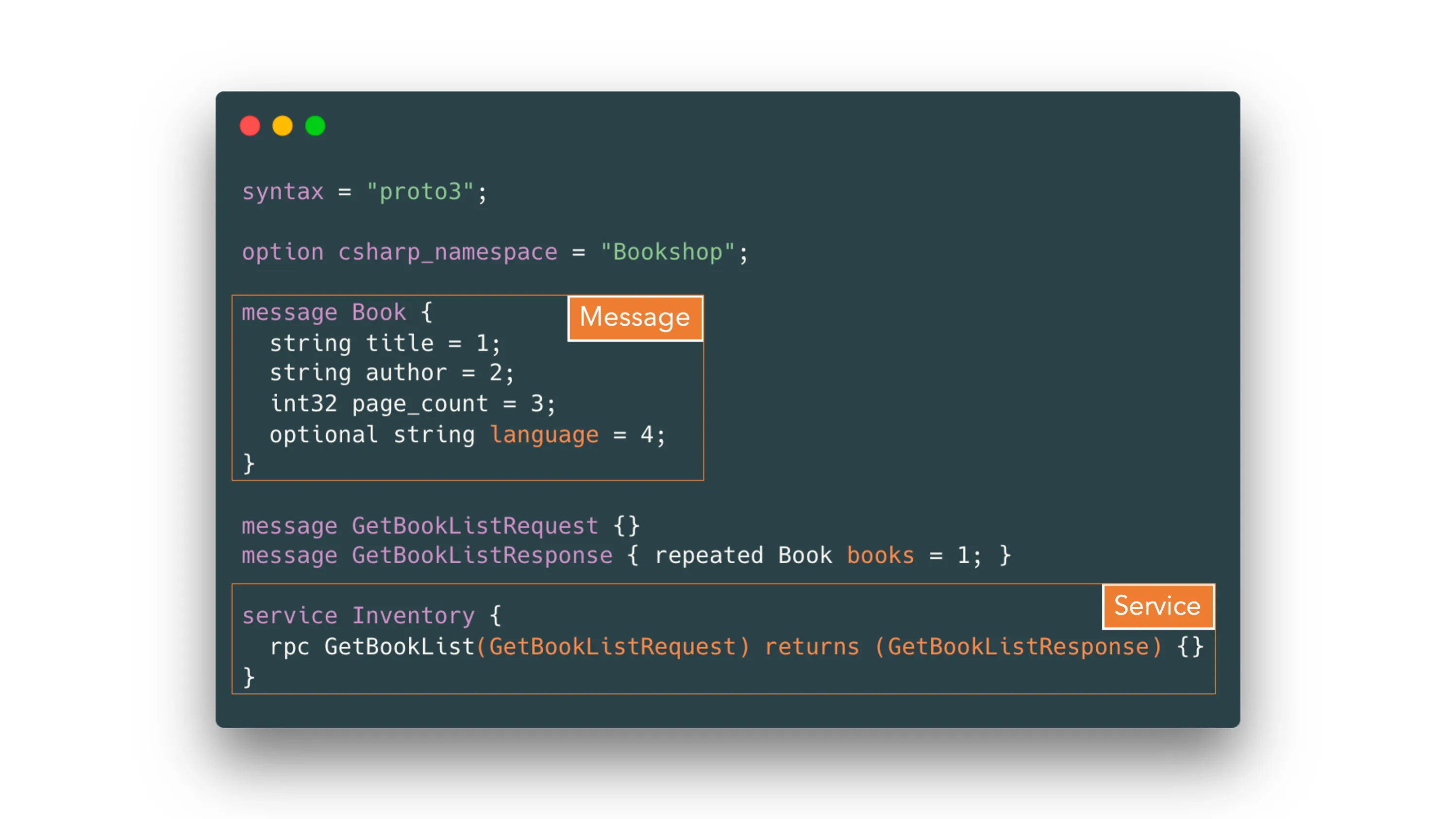
We will also update our csproj file like so:
<ItemGroup>
  <Protobuf Include="../proto/bookshop.proto" GrpcServices="Server" />
</ItemGroup>
Implementing the Server
The implementation part is easy! Let’s clean up the GreeterService that comes default and add a new file called InventoryService.cs
rm BookshopServer/Services/GreeterService.cs
code BookshopServer/Services/InventoryService.cs
This is what our service is going to look like.
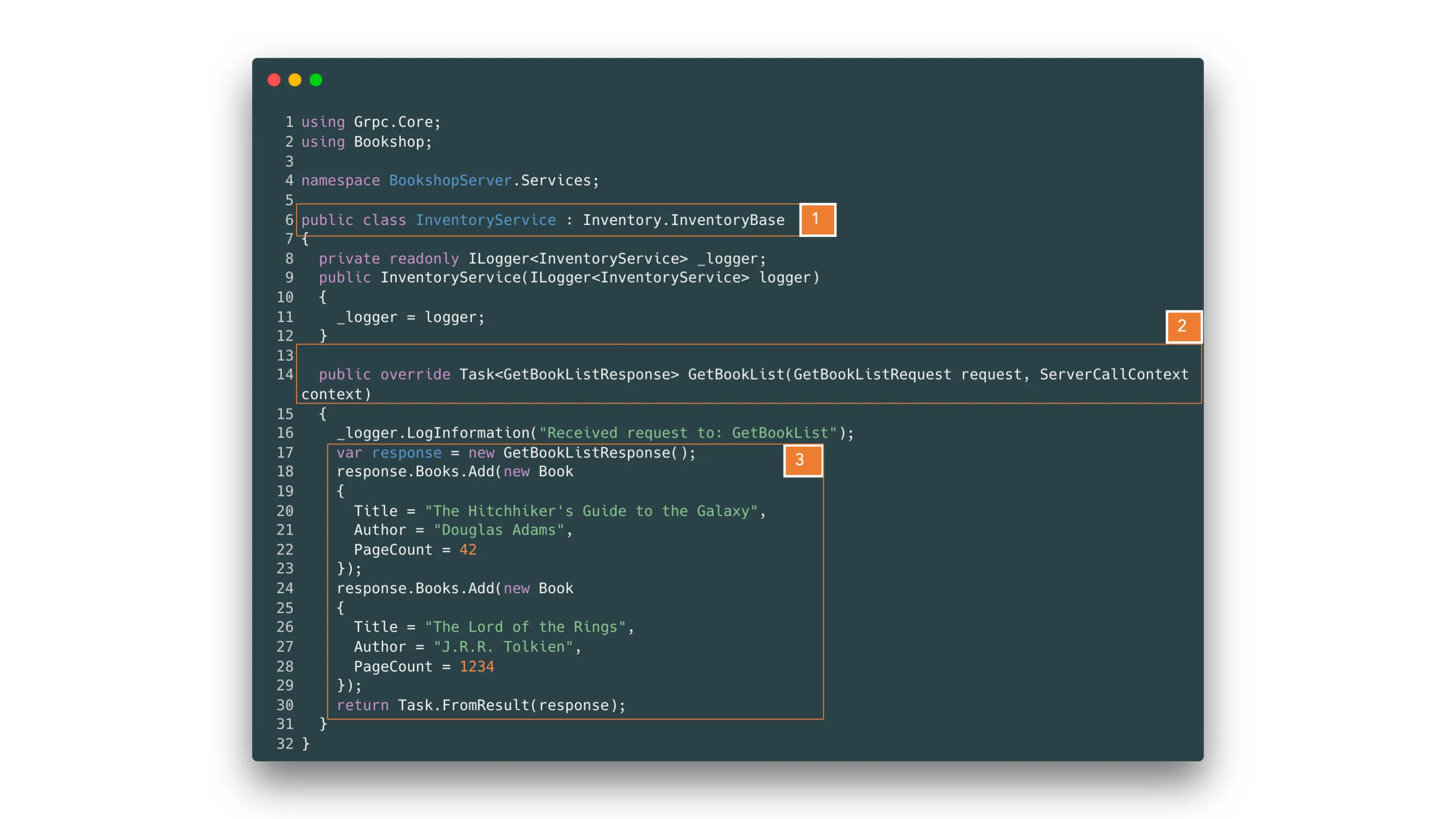
Let’s go through the code step by step.
Inventory.InventoryBaseis an abstract class that got auto-generated (in yourobj/debugfolder) from our protobuf file.GetBookListmethod’s stub is already generated for us in theInventoryBaseclass and that’s why we are overriding it. Again, this is the RPC call we defined in our protobuf definition. This method takes in aGetBookListRequestwhich defines what the request looks like and aServerCallContextparam which contains the headers, auth context etc.- Rest of the code is pretty easy - we prepare the response and return it back to the caller/client. It’s worth noting that we never defined the
GetBookListRequestGetBookListResponsetypes ourselves, manually. The gRPC tooling for .NET has already created these for us under theBookshopnamespace.
Make sure to update the Program.cs to reflect the new service as well.
// ...
app.MapGrpcService<InventoryService>();
// ...
And then we can run the server with the following command.
dotnet run --project BookshopServer/BookshopServer.csproj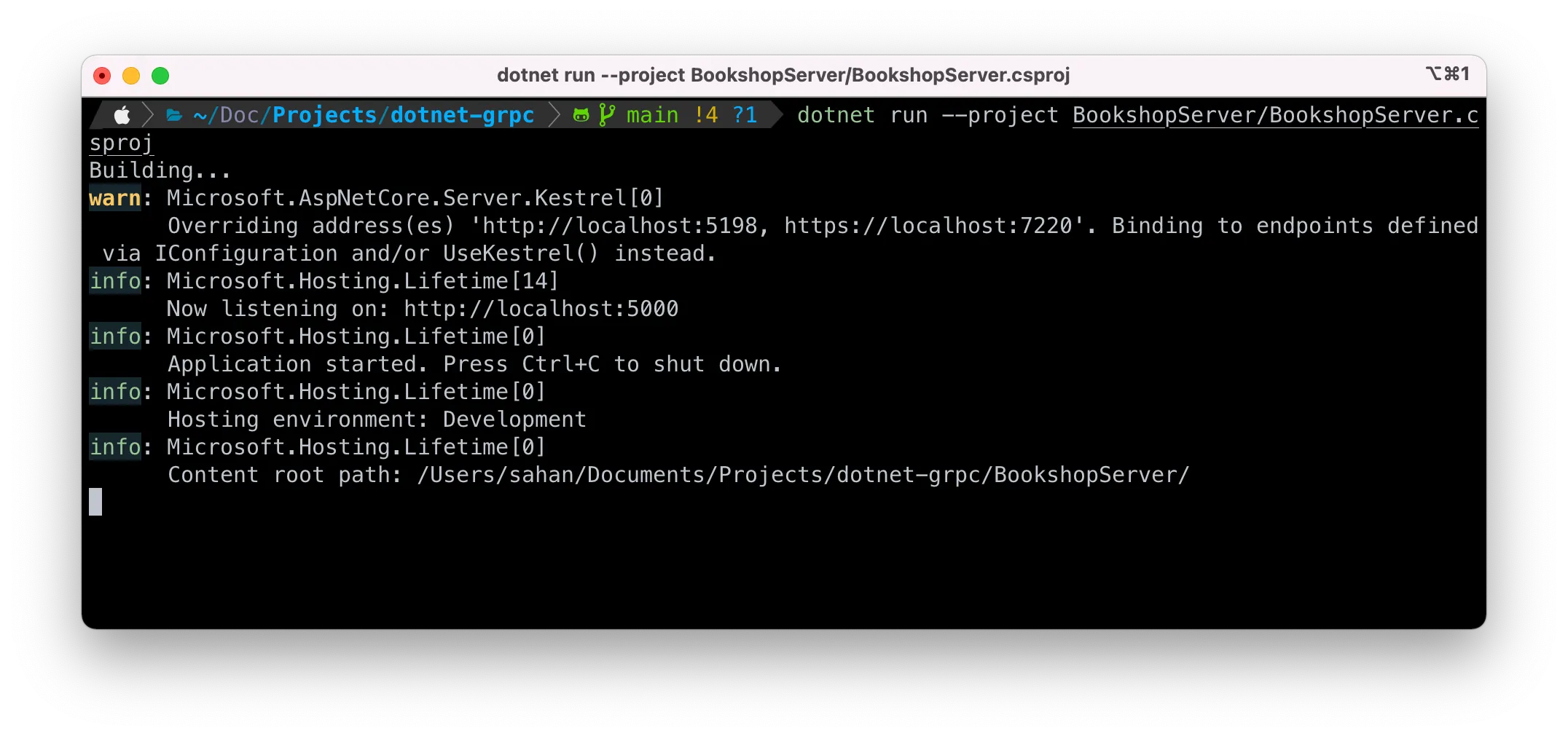
We are almost there! Typing the endpoint into a browser is not a useful test because a gRPC call needs an HTTP/2 request with the gRPC framing and Protobuf message. In the next step, we will use a protocol-aware client 🎉
Common Errors
Older versions of this guide disabled TLS because the .NET 6-era macOS development setup could fail during HTTP/2 and TLS negotiation. That is no longer a general requirement. The current ASP.NET Core gRPC template uses HTTPS and a trusted development certificate across macOS, Linux, and Windows.
The companion repository still uses a fixed plaintext HTTP/2 endpoint so the article and grpcurl commands remain predictable:
const int Port = 5000;

builder.WebHost.ConfigureKestrel(options =>
{
  options.ListenLocalhost(Port, o => o.Protocols =
      HttpProtocols.Http2);
});
This is a local-development convenience, not a production recommendation. Use TLS and authentication before exposing the service outside a trusted development environment. If you start from a fresh .NET 10 template instead, keep its HTTPS endpoint and call the actual port shown by dotnet run.
Testing the service
Ordinary cURL requests do not construct a gRPC method call or decode Protobuf responses for you. We will use grpcurl, which understands gRPC framing and service descriptors.
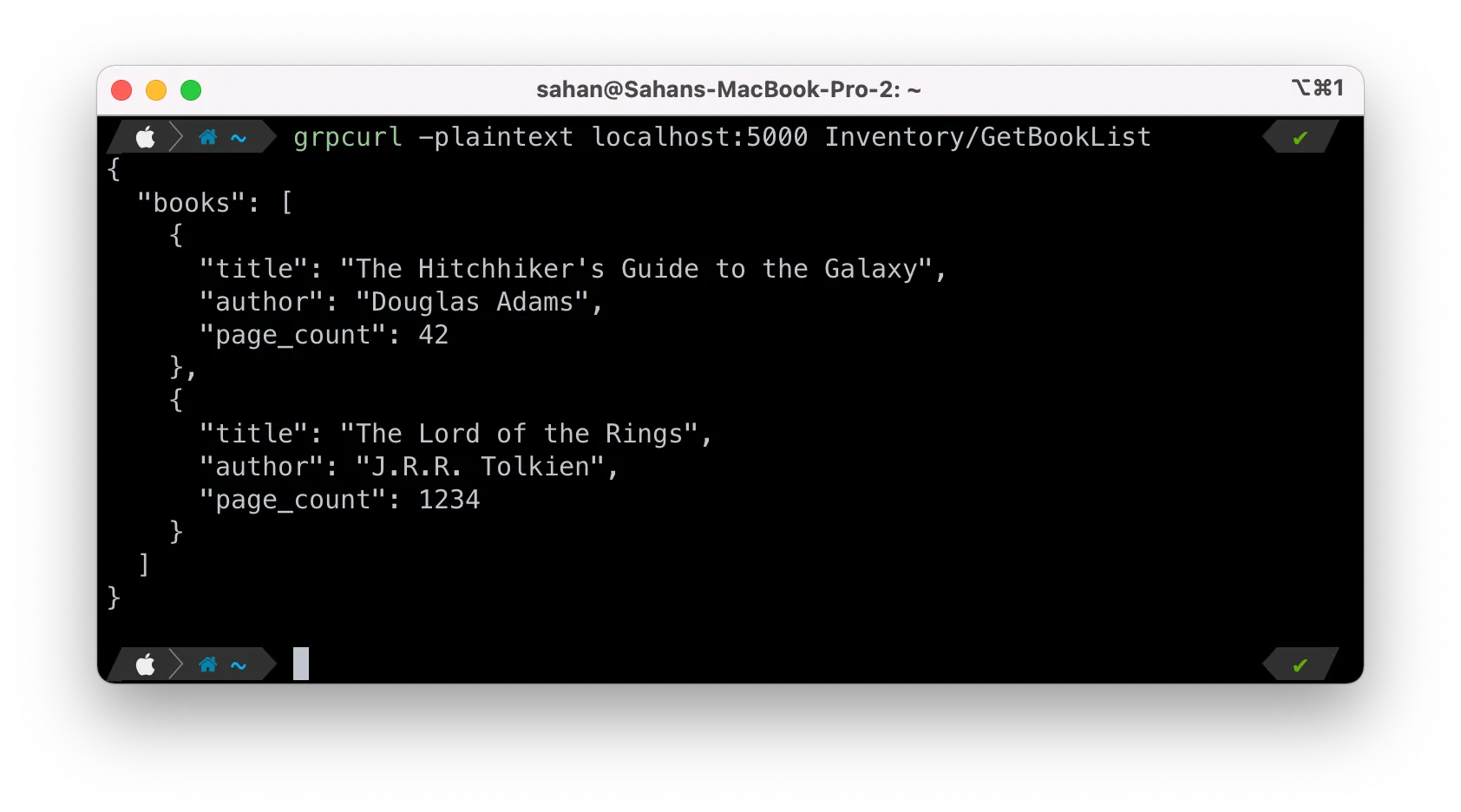
Once you have it up and running, you can now interact with the server we just built.
grpcurl -plaintext localhost:5000 Inventory/GetBookListHow do we figure out the endpoints of the service? There are two ways to do this. One is by providing a path to the proto files, while the other option enables reflection through the code.
Using proto files
If you don’t want to enable reflection, we can use the Protobuf files to let gRPCurl know which methods are available. Normally, when a team makes a gRPC service they will make the protobuf files available if you are integrating with them. So, without having to ask them or doing trial-and-error you can use these proto files to introspect what kind of endpoints are available for consumption.
grpcurl -import-path Proto -proto bookshop.proto -plaintext localhost:5000 Inventory/GetBookList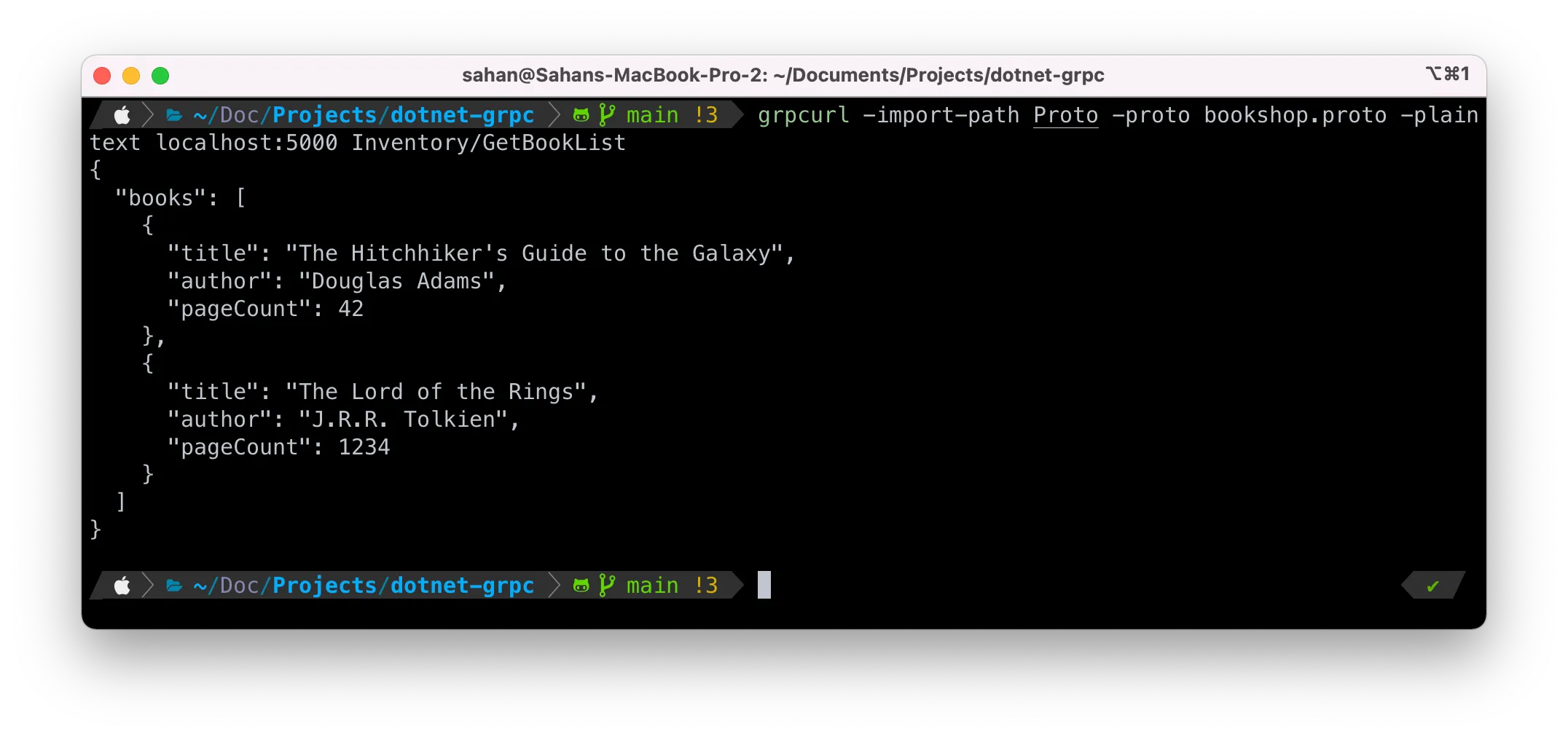
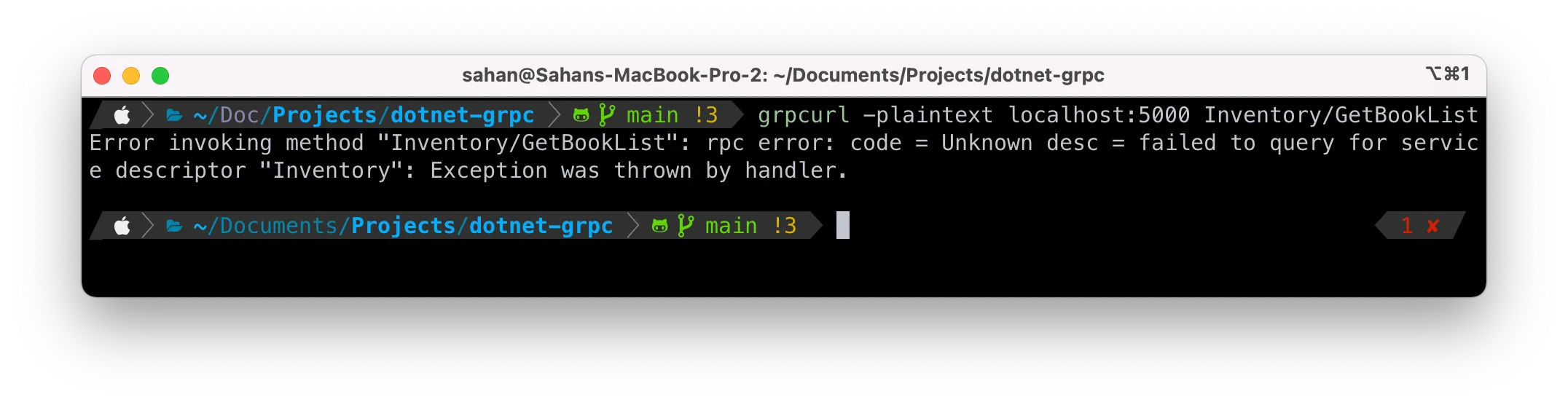
Now, let’s say we didn’t have reflection enabled and try to call a method on the server.
grpcurl -plaintext localhost:5000 Inventory/GetBookListWe can expect that it will error out. Cool!
Enabling reflection
From the repository root, install the reflection package:
dotnet add BookshopServer/BookshopServer.csproj package Grpc.AspNetCore.Server.ReflectionAdd the following to the Program.cs file. Note that we are using the new Minimal API approach to configure these services
// Register services that enable reflection
builder.Services.AddGrpcReflection();

// Enable reflection in Debug mode.
if (app.Environment.IsDevelopment())
{
  app.MapGrpcReflectionService();
}
Conclusion
As we have seen, the same Protocol Buffers contract can generate a server API in both Go and .NET. MSBuild handles C# generation during the normal build, while ASP.NET Core registers the implementation through endpoint routing. The matching .NET gRPC client reuses the contract and adds a bounded call deadline.
Feel free to let me know if you have any questions or feedback. Until next time! 👋