When IMemoryCache Stops Scaling: Moving to Redis with .NET Aspire
IMemoryCache is a perfectly good cache until the assumption behind it changes.
That assumption is simple: the state belongs to one process.
PulseOps starts with one API instance, so keeping recent service-health results in memory is cheap and easy. Then we run a second API instance. Suddenly each process can cache a different answer to the same question.
Nothing is wrong with IMemoryCache. The architecture changed underneath it.
This is the first post in Building PulseOps, a series where I’m getting back into modern .NET by building one system and letting real requirements pull in the next piece of infrastructure. No catalog app. No infrastructure added just because a getting-started guide says so.
In this post, scaling the API gives us the first reason to change the architecture: move the cache to Redis and bring .NET Aspire into the application.
What you’ll learn
By the end, we’ll have:
- reproduced the inconsistency that appears when process-local caches are spread across multiple instances;
- moved the shared cache state to Redis with
IDistributedCache; - modeled Redis as an Aspire resource instead of hand-managing a local container and connection string;
- verified that separate API instances can read the same cached value.
If you want the fundamentals first, I’ve already covered IMemoryCache and distributed caching with Redis separately.
This post starts where those two meet a distributed application.
Why I’m building PulseOps this way
I’m building PulseOps as the open-source companion project for this series.
The idea is simple: keep one application alive across the whole series and evolve it as the requirements get harder.
PulseOps will eventually ingest alerts, track incidents, persist operational data, expose telemetry, and grow an agentic incident assistant. But each capability has to earn its place first.
That gives the series a useful rule:
Start with the simplest thing that is correct. Make the limitation visible. Then add infrastructure because you can explain exactly which property it changes.
So this isn’t going to be a sequence of disconnected Aspire demos. main will keep moving, while tagged snapshots preserve the exact version used by each article.
The rough direction is:
- shared cache state with Redis;
- durable persistence with PostgreSQL;
- logs, traces, and metrics that make failures observable;
- an incident agent built with the GitHub Copilot SDK;
- giving that agent useful access to the running Aspire application.
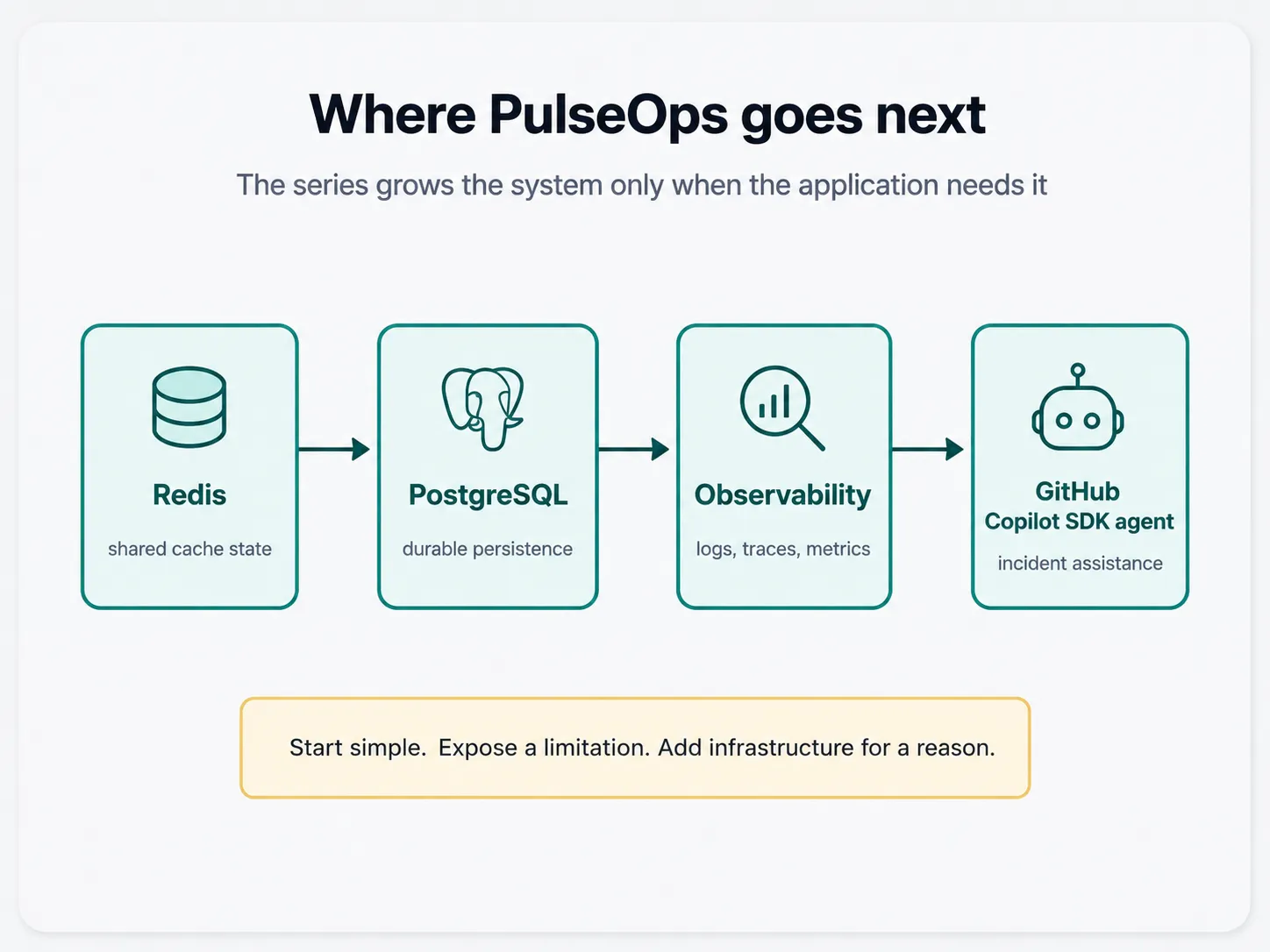
The details may change as PulseOps grows. That’s part of the point.
PulseOps starts deliberately small
The first version is intentionally boring:
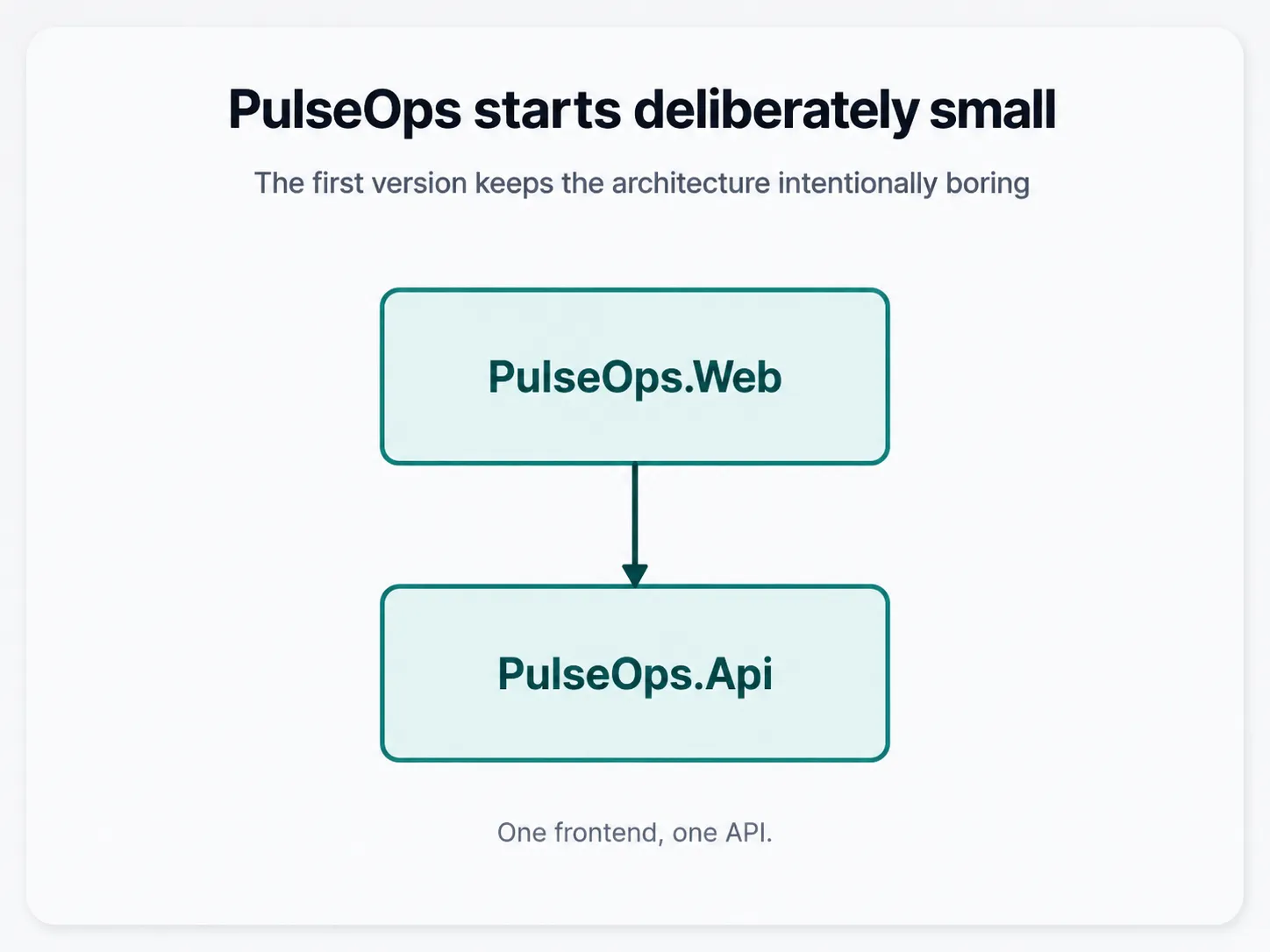
The API has a small registry of services PulseOps knows about. A service looks roughly like this:
{
  "id": "payments-api",
  "name": "Payments API",
  "url": "https://example.com/health",
  "status": "unknown"
}
When the dashboard asks for a service’s current status, PulseOps may need to make a remote health request. There is no point hammering the same endpoint every time someone refreshes the page, so caching the result for a short period is an obvious first optimization.
The simplest cache works fine with one process
For one API instance, IMemoryCache is a good fit.
The shape is straightforward:
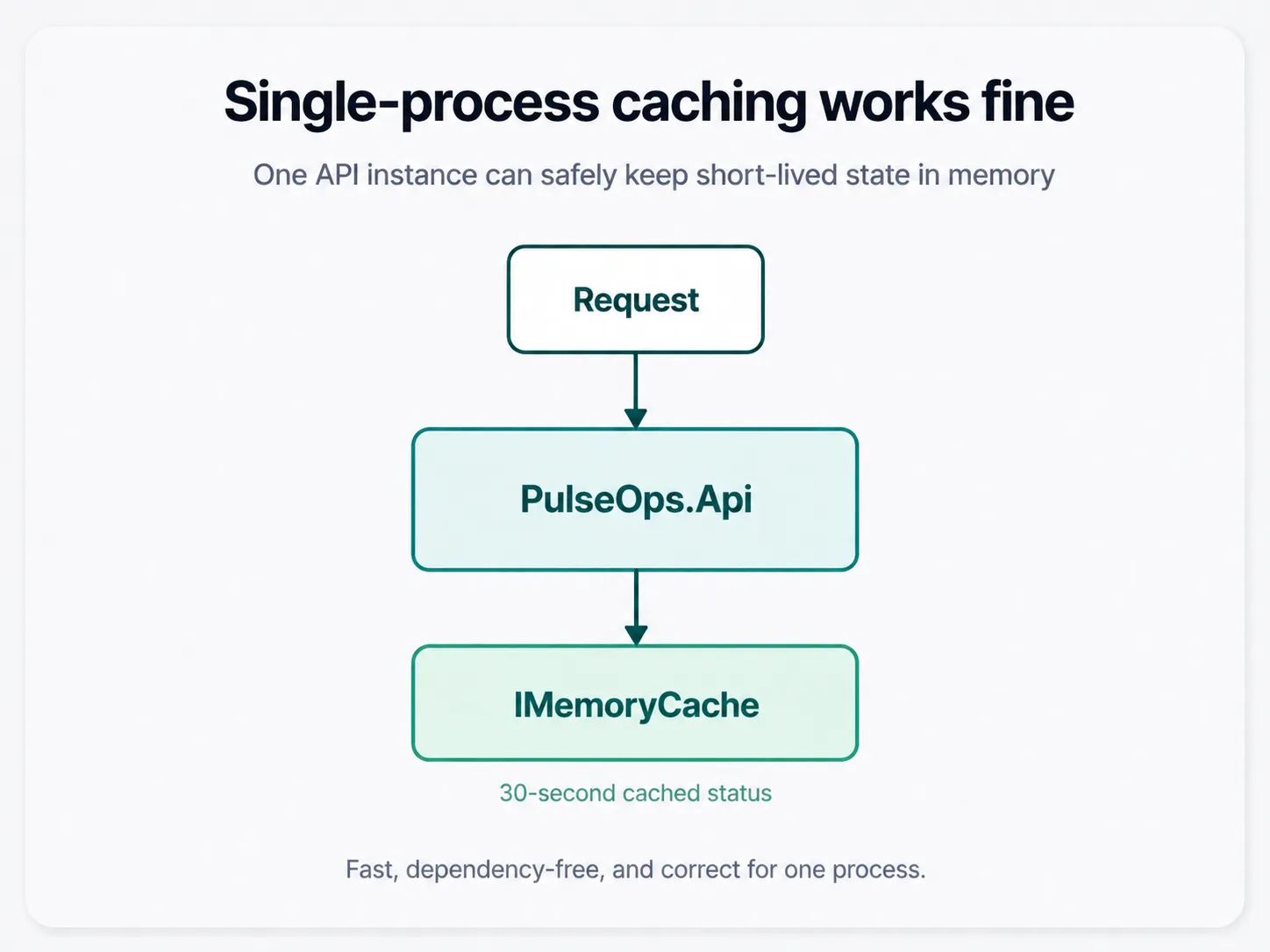
A simplified implementation might look like this:
public async Task<ServiceStatus> GetStatusAsync(
    string serviceId,
    CancellationToken cancellationToken)
{
    var cacheKey = $"service-status:{serviceId}";

    if (_cache.TryGetValue(cacheKey, out ServiceStatus? cachedStatus))
    {
        return cachedStatus!;
    }

    var status = await CheckServiceAsync(serviceId, cancellationToken);

    _cache.Set(
        cacheKey,
        status,
        TimeSpan.FromSeconds(30));

    return status;
}
The first request checks the service. Requests during the next 30 seconds get the cached result.
Fast, dependency-free, and easy to understand.
A second API instance changes the correctness model
Now suppose we run two instances of PulseOps.Api.
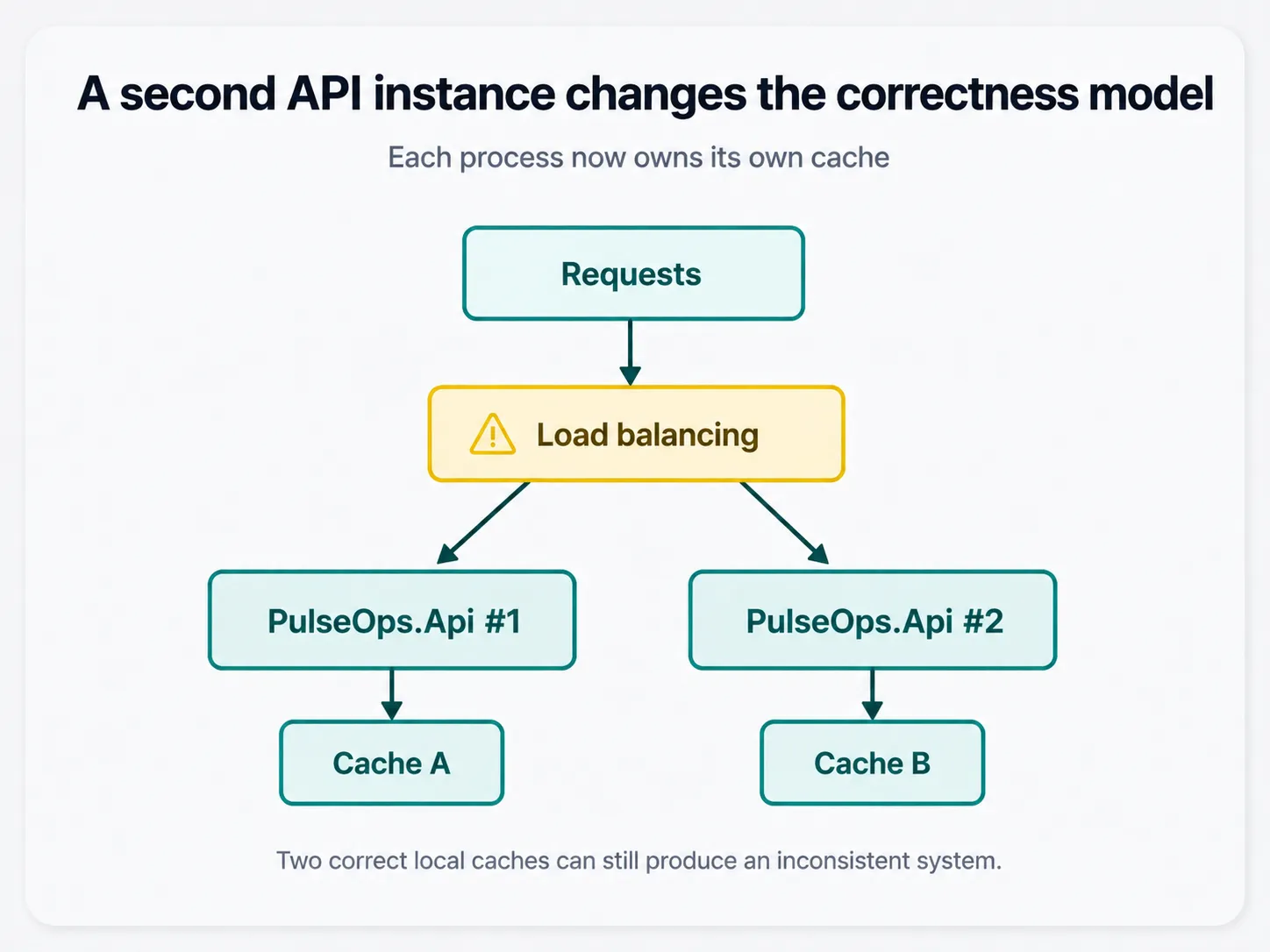
Each process gets its own memory and therefore its own cache.
Consider this sequence:
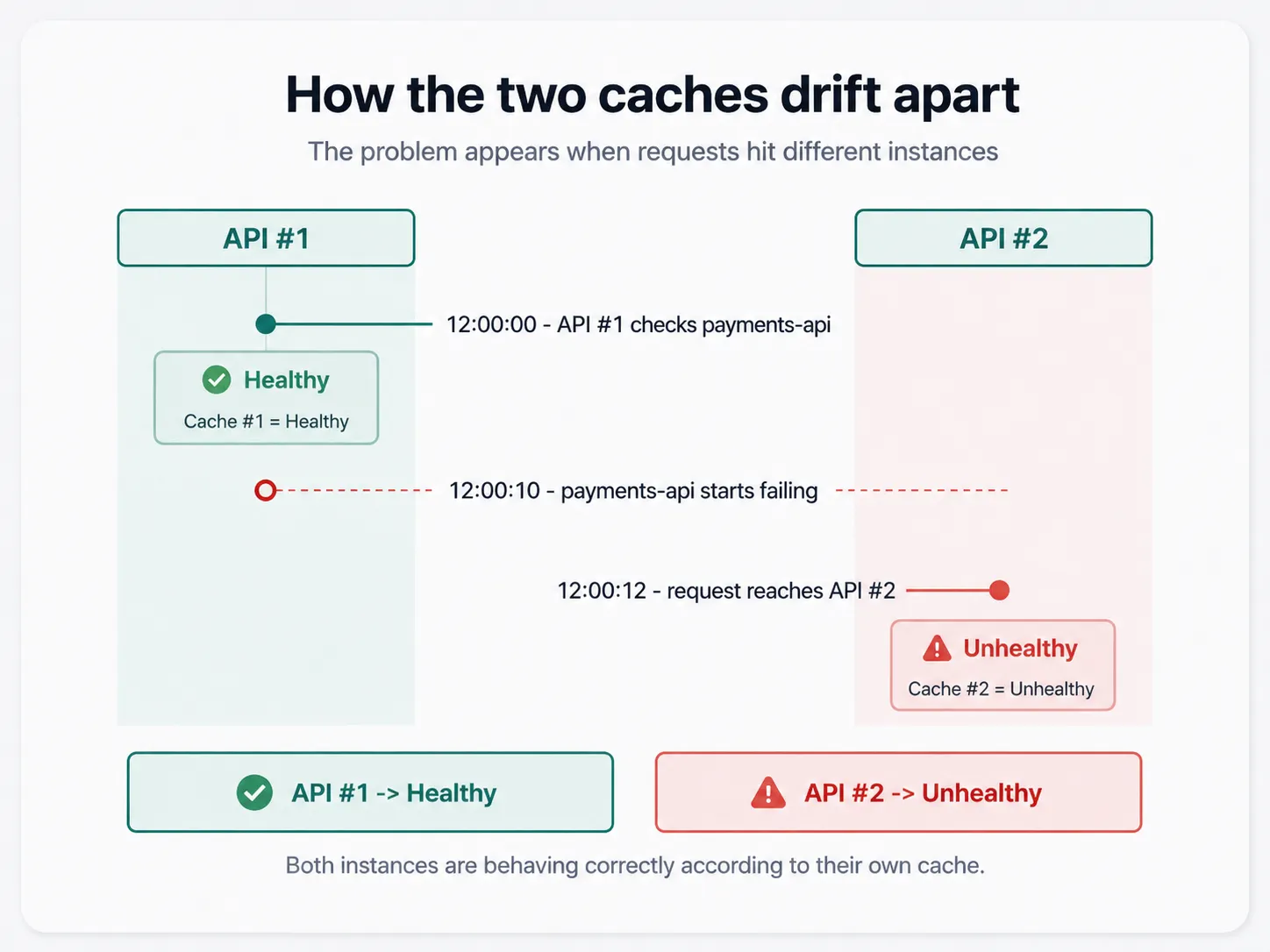
For the next few seconds, API #1 can still report Healthy while API #2 reports Unhealthy.
Both API instances are behaving correctly according to their own cache.
PulseOps as a system is not.
A monitoring dashboard that gives you a different answer depending on which backend instance served the request is a fairly creative definition of monitoring.
This isn’t an IMemoryCache bug
It’s tempting to frame this as “IMemoryCache doesn’t scale.”
That’s not quite right.
IMemoryCache is doing exactly what it promises: storing data in the memory of the current process.
Scaling out changed the ownership boundary:
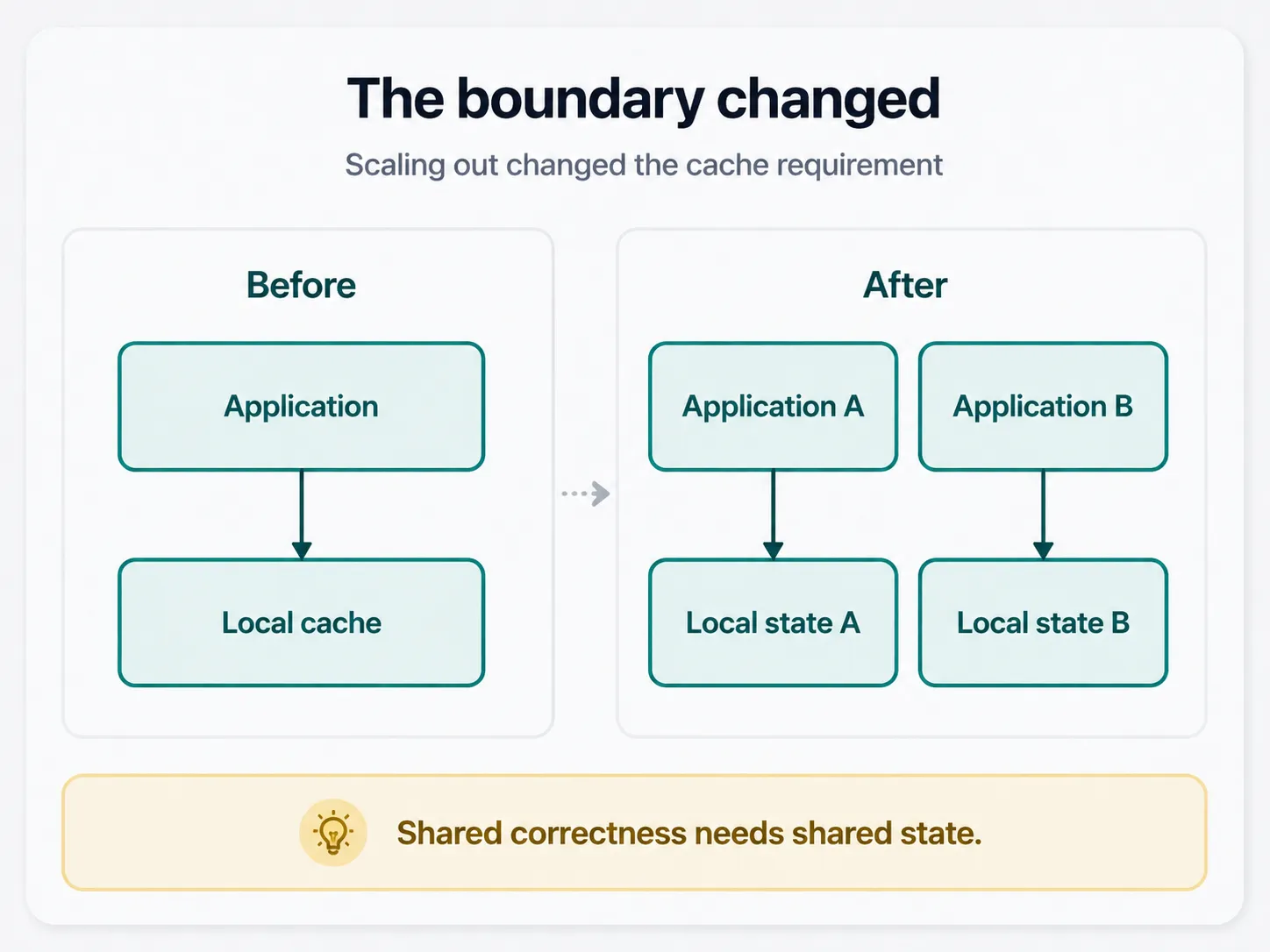
The requirement changed from cache this value to let multiple processes observe the same cached value.
That second requirement needs shared state.
Moving the cache outside the API process
Redis gives both API instances somewhere shared to store the status value:
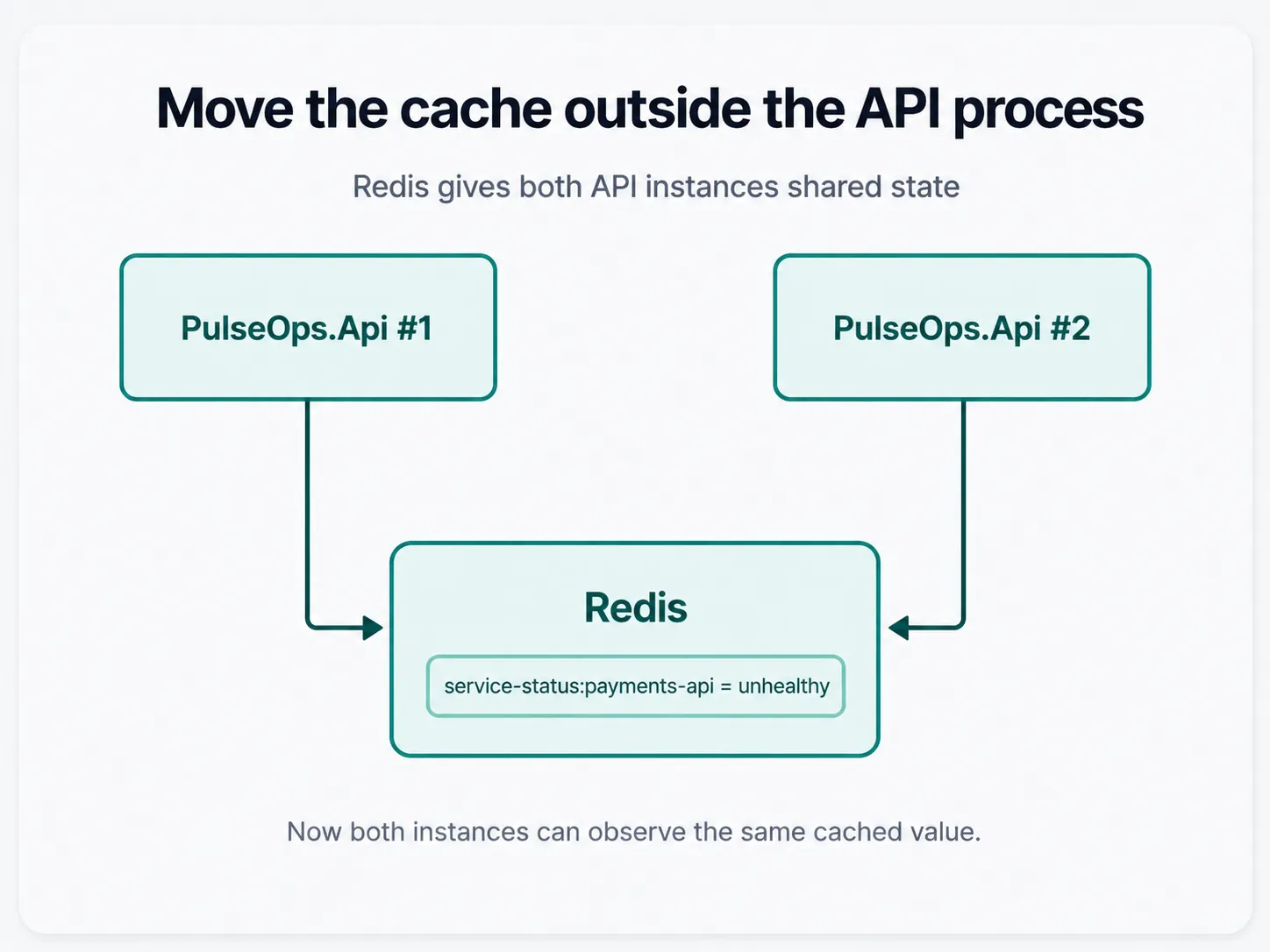
If one instance writes:
service-status:payments-api = unhealthyanother instance can read the same entry.
This is the same basic move I covered in Distributed Caching in ASP.NET Core with Redis. The difference here is the operational side.
PulseOps is already becoming a multi-resource application. I don’t want the development workflow to turn into a README containing six Docker commands, several hand-picked localhost ports, and a prayer that everyone copied the same connection string.
That’s the point where Aspire becomes useful.
Model Redis in the Aspire AppHost
Before Redis, the PulseOps AppHost is roughly:
var builder = DistributedApplication.CreateBuilder(args);

var api = builder.AddProject<Projects.PulseOps_Api>("api");

builder.AddProject<Projects.PulseOps_Web>("web")
    .WithReference(api);

builder.Build().Run();
Adding Redis to the application model is small:
var builder = DistributedApplication.CreateBuilder(args);

var cache = builder.AddRedis("cache");

var api = builder.AddProject<Projects.PulseOps_Api>("api")
    .WithReference(cache);

builder.AddProject<Projects.PulseOps_Web>("web")
    .WithReference(api);

builder.Build().Run();
AddRedis("cache") adds a Redis resource to the AppHost. WithReference(cache) expresses that the API consumes it.
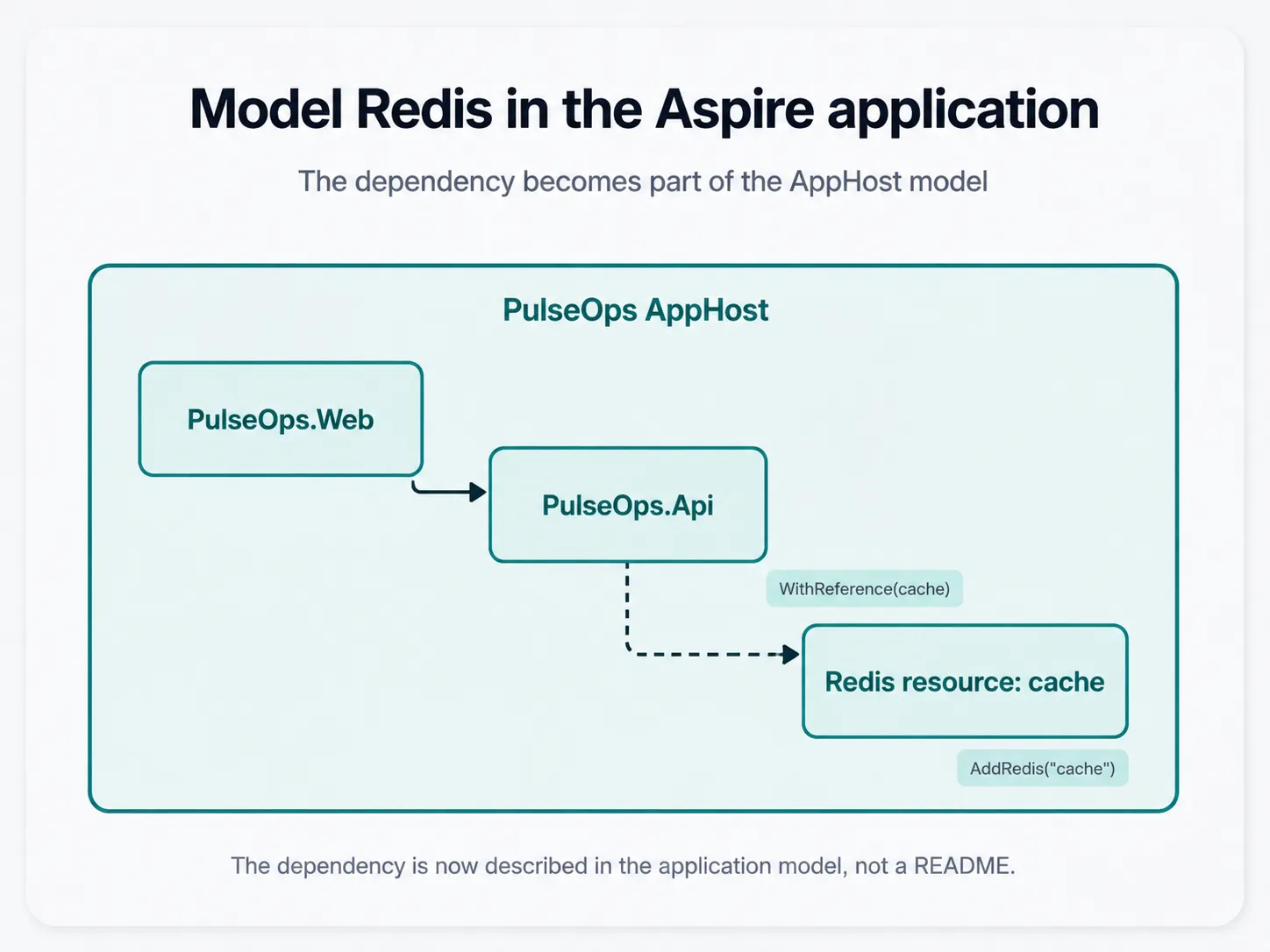
For local development, Aspire can run the Redis container and make its connection information available to the API. The current Redis hosting integration exposes the resource URI, host, port, and password to the consuming project when the resource is referenced.
That means the dependency is now part of the application model rather than a separate setup instruction living outside the code.
Register Redis as IDistributedCache
Inside the API, the Redis distributed-cache integration can register IDistributedCache against the resource named cache:
var builder = WebApplication.CreateBuilder(args);

builder.AddServiceDefaults();
builder.AddRedisDistributedCache("cache");
The connection name matches the AppHost resource named cache.
The application service can then depend on IDistributedCache rather than IMemoryCache:
public sealed class ServiceStatusCache(IDistributedCache cache)
{
    private readonly IDistributedCache _cache = cache;

    public async Task<ServiceStatus?> GetAsync(
        string serviceId,
        CancellationToken cancellationToken)
    {
        var key = $"service-status:{serviceId}";
        var value = await _cache.GetAsync(key, cancellationToken);

        return value is null
            ? null
            : JsonSerializer.Deserialize<ServiceStatus>(value);
    }

    public Task SetAsync(
        string serviceId,
        ServiceStatus status,
        CancellationToken cancellationToken)
    {
        var key = $"service-status:{serviceId}";
        var value = JsonSerializer.SerializeToUtf8Bytes(status);

        return _cache.SetAsync(
            key,
            value,
            new DistributedCacheEntryOptions
            {
                AbsoluteExpirationRelativeToNow = TimeSpan.FromSeconds(30)
            },
            cancellationToken);
    }
}- Depend on the shared-cache abstraction. The service no longer owns process-local cache state. It receives an
IDistributedCachebacked by the Aspire Redis resource. - Read the shared value. Every API instance uses the same key and reads the serialized status from Redis. A missing key remains a normal cache miss.
- Prepare a shared write. The writer builds the same cache key and serializes the status so another process can read the exact value.
- Store it with the same policy. Redis changes where the value lives, not the caching rule. The status still expires after 30 seconds.
The caching policy hasn’t changed. PulseOps still caches a service status for 30 seconds.
What changed is ownership: the cached state now lives outside the API process in Redis, where both instances can observe it.
Aspire helps operate the dependency, Redis provides the shared state
There’s an easy mental trap here.
You can look at this:
builder.AddRedis("cache");and give Aspire too much credit.
Aspire didn’t make our cache distributed. Redis did that.
Aspire helps with a different set of problems:
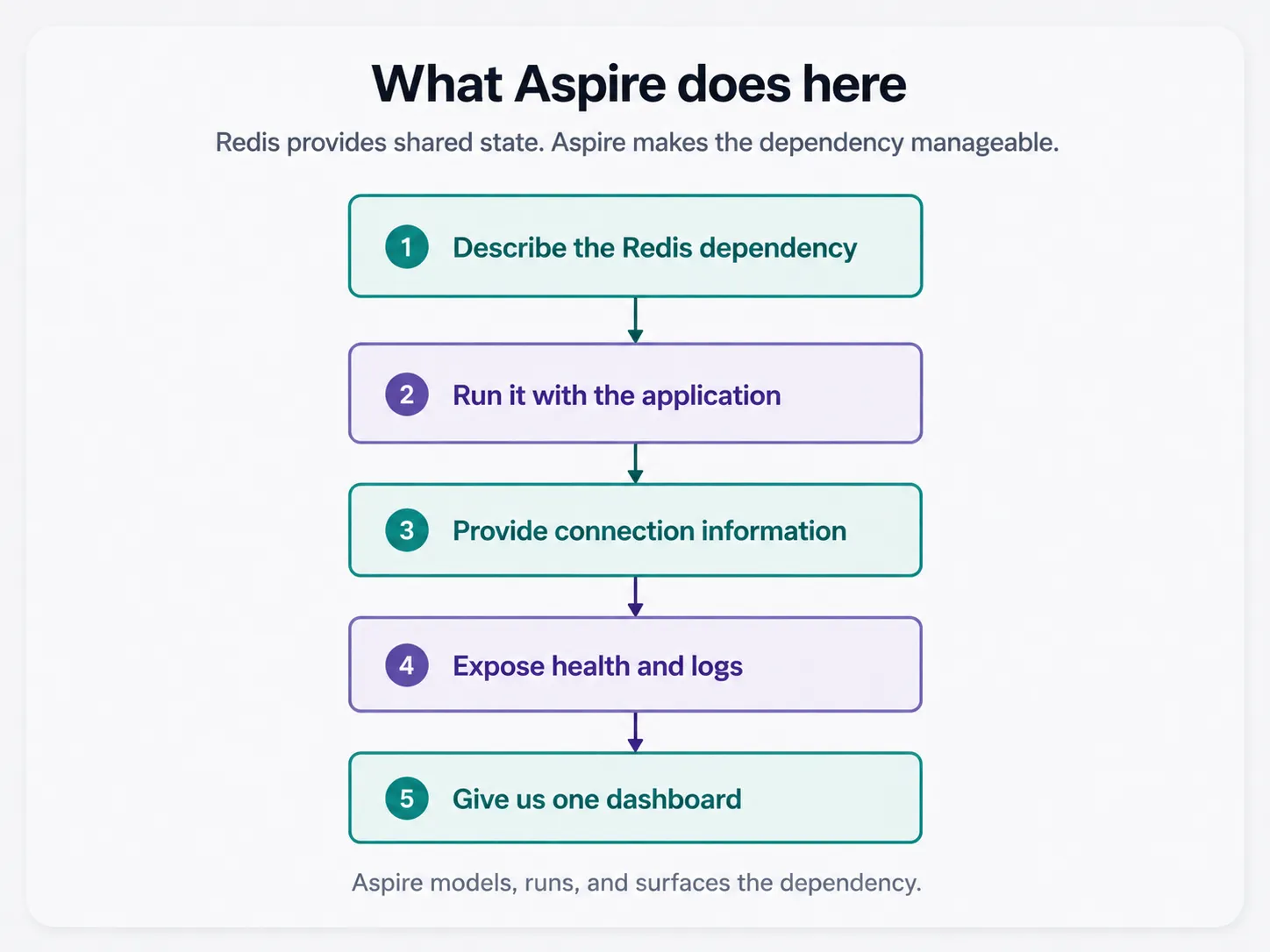
That distinction matters because it gives us a useful model for the rest of this series.
Aspire isn’t a replacement for Redis, PostgreSQL, RabbitMQ, Kubernetes, or the application framework itself. It gives us a code-first application model that describes those resources and the relationships between them.
The Aspire dashboard makes the new dependency visible
At this point PulseOps has three resources we care about during development: PulseOps.Web, PulseOps.Api, and Redis.
The Aspire dashboard gives us one place to see their state and inspect the application while it is running.
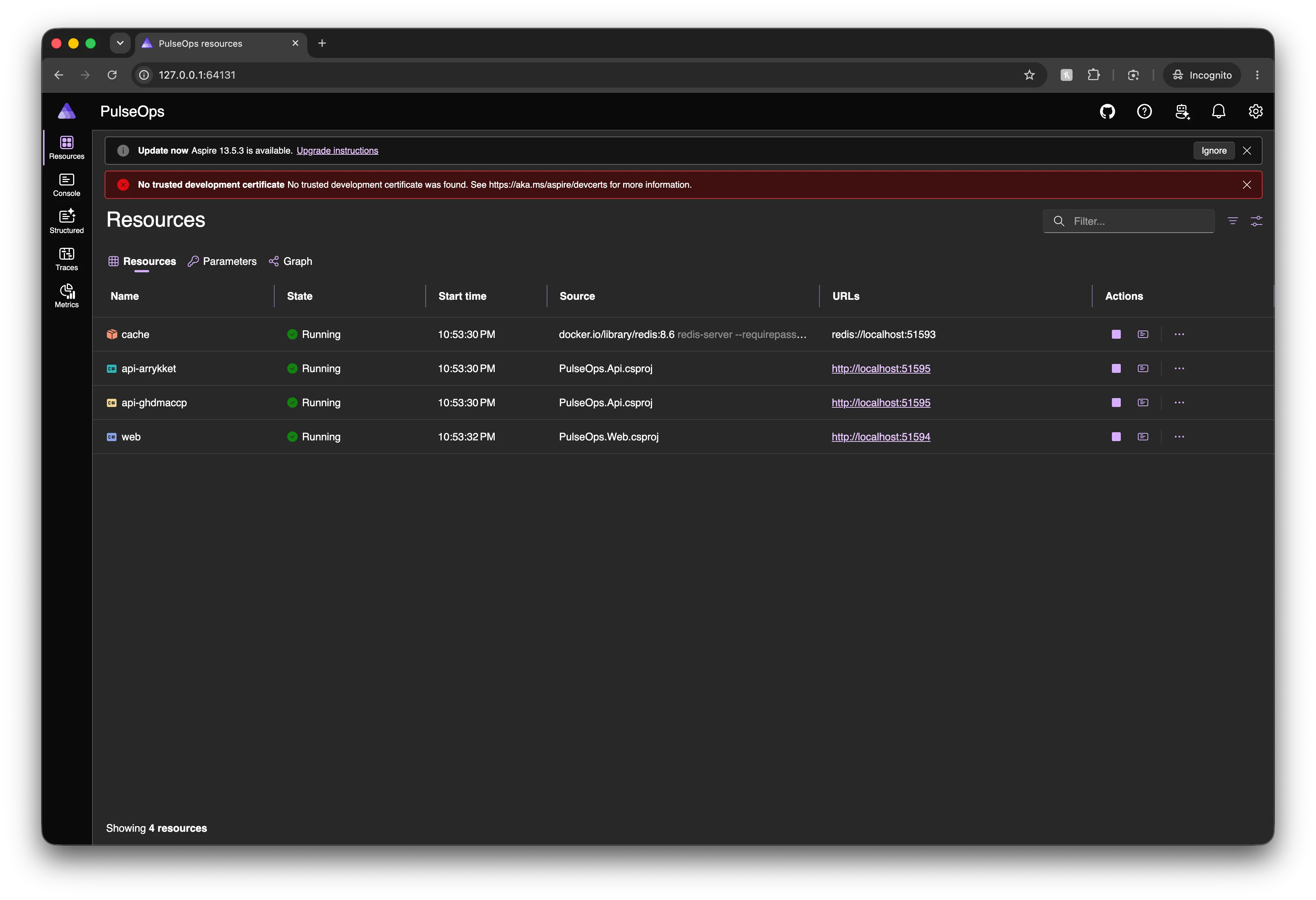
This isn’t hugely dramatic with three resources.
That’s fine.
Later PulseOps will have multiple APIs, workers, a database, a message broker, and agent tooling. The value of having those relationships described in one place grows with the application.
For now, the useful part is much simpler: Redis is no longer a container I need to remember to start in another terminal.
Verify the property we actually care about
The important test isn’t “does Redis start?”
The property we wanted to change was:
Two API instances must observe the same cached service status.
So that’s what we should verify.
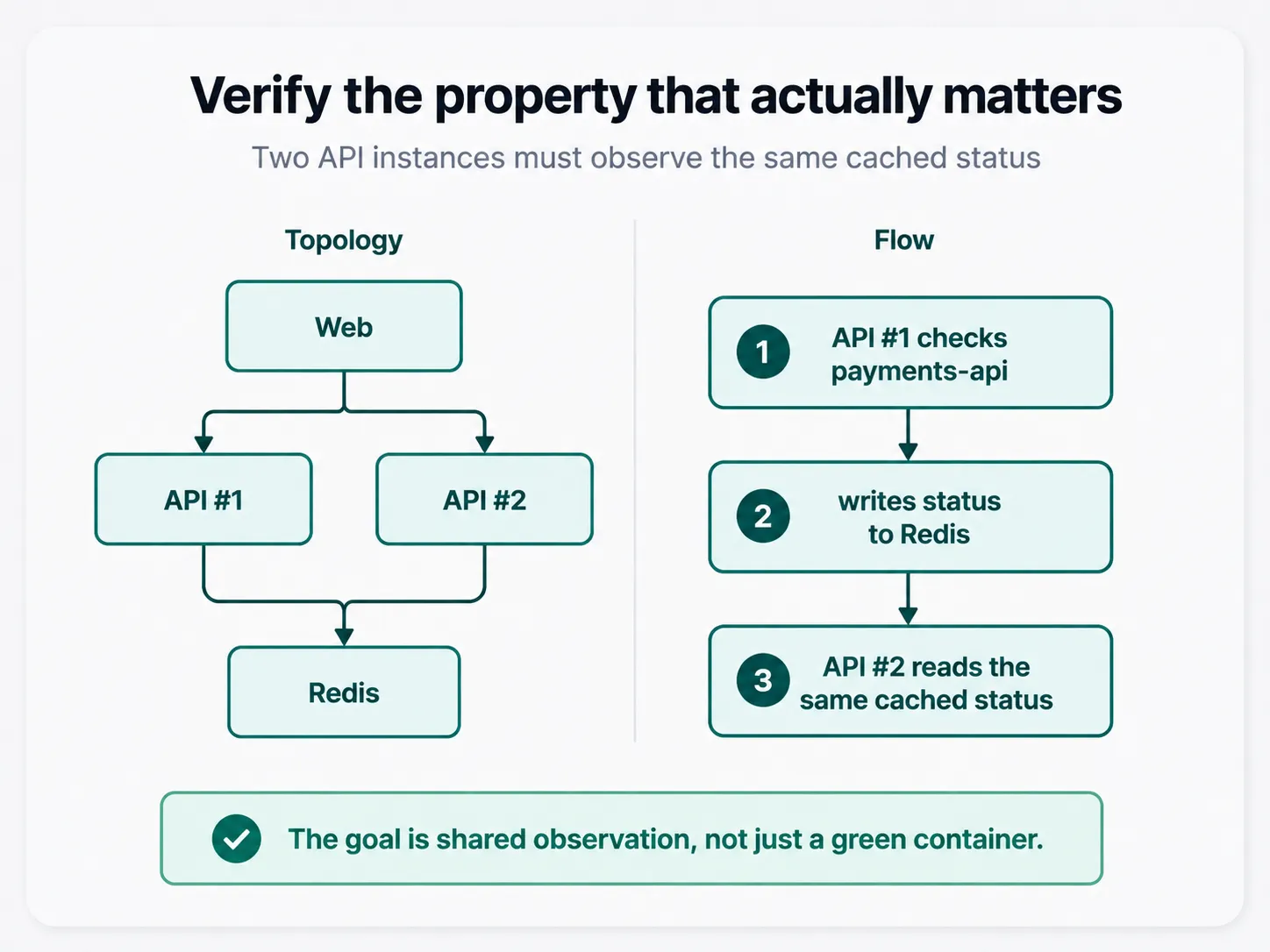
Run multiple API instances against the same Redis resource. Then exercise a sequence where API #1 populates the cache and API #2 serves the next request.
That verifies the architectural change we actually made, not just the fact that a container happens to be green.
When Redis is the wrong answer
This isn’t an argument for replacing every IMemoryCache with Redis.
If the data is truly local to one process, a local cache remains simpler and faster. You avoid a network hop and another infrastructure dependency.
Redis becomes useful here because shared visibility is part of correctness.
There are also cache designs where small amounts of per-instance staleness are acceptable. In those systems, a local cache on every instance may be completely reasonable, especially when reducing dependency latency matters more than having one globally consistent cached value.
The question isn’t “which cache is better?”
It’s:
Who needs to observe this state, and how stale is it allowed to be?
For PulseOps service status, we want every API instance using the same short-lived cached observation. A shared cache matches that requirement better.
The first architectural change in PulseOps
PulseOps began with one web frontend, one API, and process-local IMemoryCache state. It ends this post with multiple API instances backed by one shared Redis cache.
The interesting part isn’t that we added Redis.
It’s why we added Redis.
The original solution was correct while the cache belonged to one process. Scaling the API changed the ownership boundary, so the cache had to move with it.
That’s the pattern I want to keep through the rest of PulseOps: start simple, make the limitation visible, then add infrastructure because we can explain exactly which property it changes.
What’s next
Redis gives the API instances shared short-lived state. It doesn’t give PulseOps durable history.
If an incident is created, updated, acknowledged, or resolved, that data has to survive process restarts. Keeping it in memory would make for a wonderfully optimistic incident-management system.
So the next step is PostgreSQL.
We’ll add durable persistence through Aspire, look at how the database becomes part of the application model, and deal with the first operational questions that appear with real state: startup ordering, migrations, health, and what should happen when the database isn’t ready yet.
After that, we’ll make the system observable enough that an agent can eventually reason about what is happening rather than guess from a prompt.
Code snapshots
Starting point: pulseops-00-foundation
Finished version: pulseops-01-redis
main will keep moving. These tags are the snapshots for this article.